Scoring games — the Scorer app
The Scorer is a tablet/phone app for recording every play in real time. It works offlineand syncs automatically, so a dropped connection courtside never loses data. Scoring is done in the Scorer app — not on this site.
Assign a scorer to the game
As league admin, assign who can score a game (whole-game, a single team, or even a single player). Each league also gets a default scorer account. Scorers sign in to the Scorer app at scorer.hoops.ardata.tech.
Open the game & set your starting five
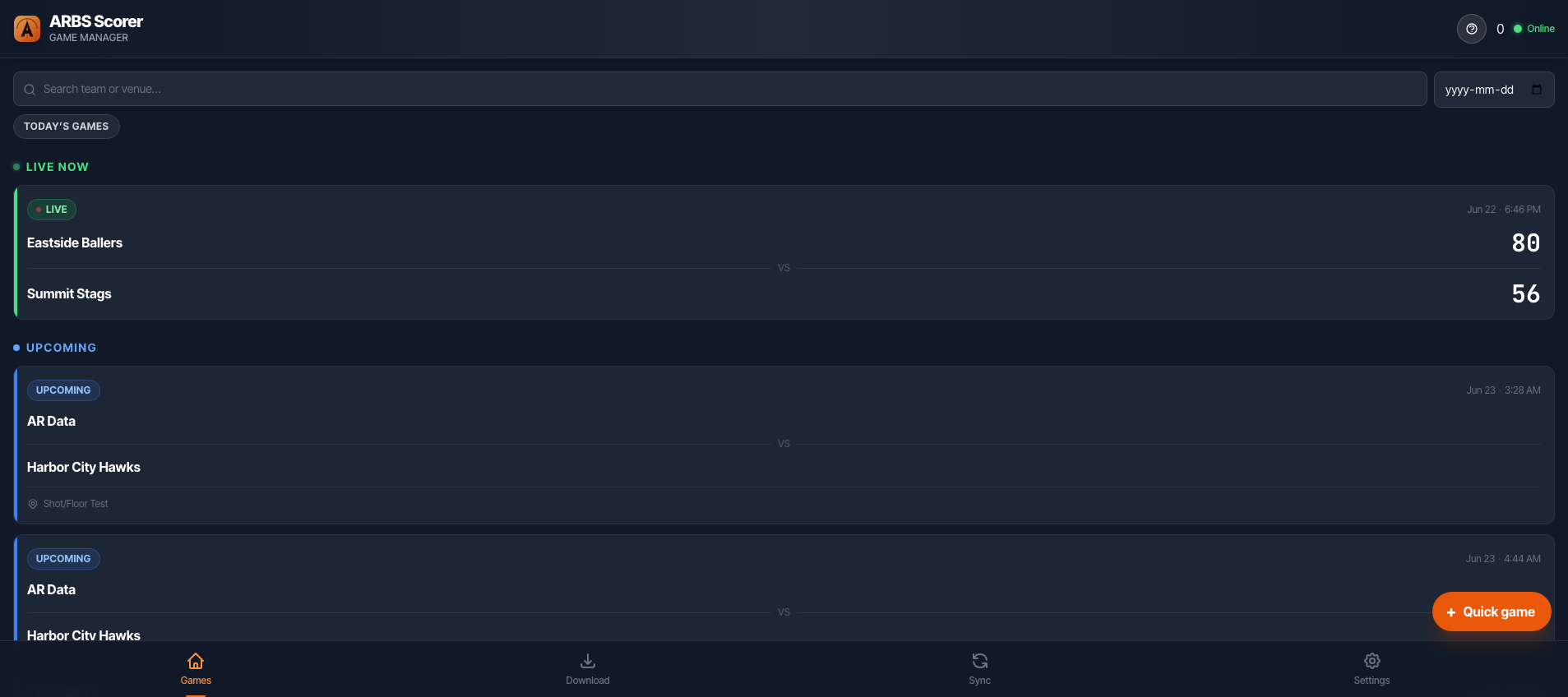
Pick the game from the scorer’s game list, confirm the starting lineups, then start the clock. A banner warns you if starters are missing.
Record plays — tap or voice
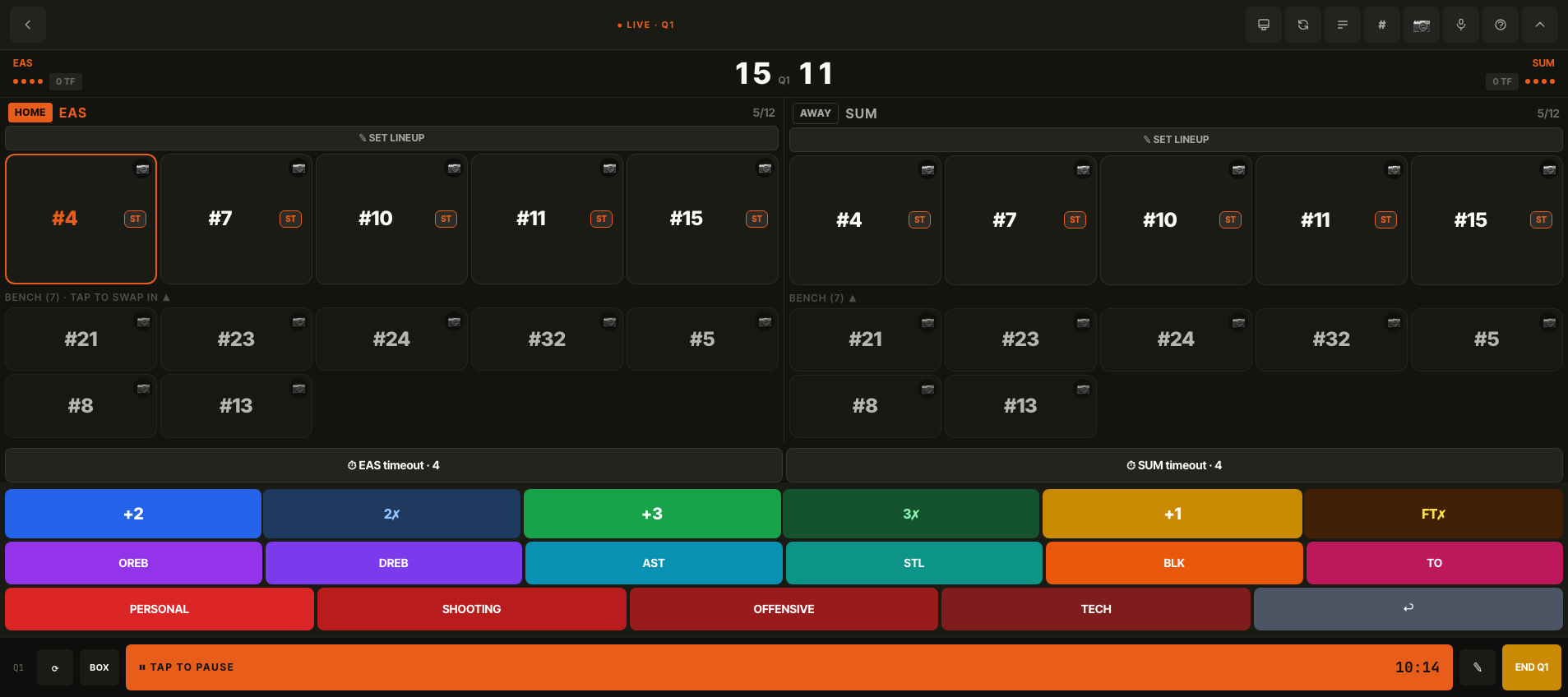
Tap a player then a stat button (2, 3, FT, rebound, assist, steal, block, foul, turnover), or use voice: say “two points, number 23”. Makes and misses are separate buttons, and the clock can be adjusted or reset on the bottom bar.
Voice can run two ways — set it in Settings: Classic push-to-talk (works offline, one event at a time) or AI Assist, which parses natural speech and multiple events at once.
Fix mistakes instantly
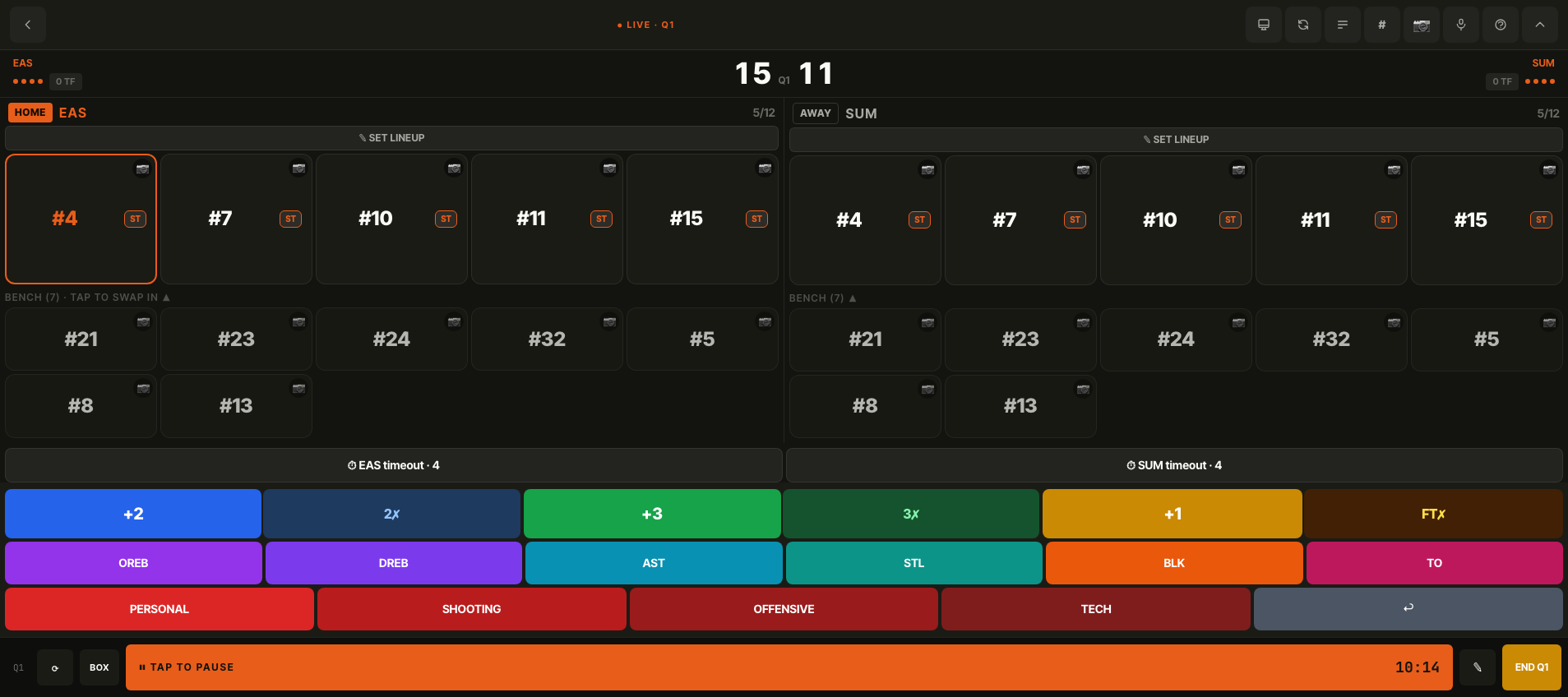
Made a wrong call? Undo reverses the last action (with an “undid X” toast), and the turnover/foul buttons all support correction. Everything is editable from the event log.
Offline & sync
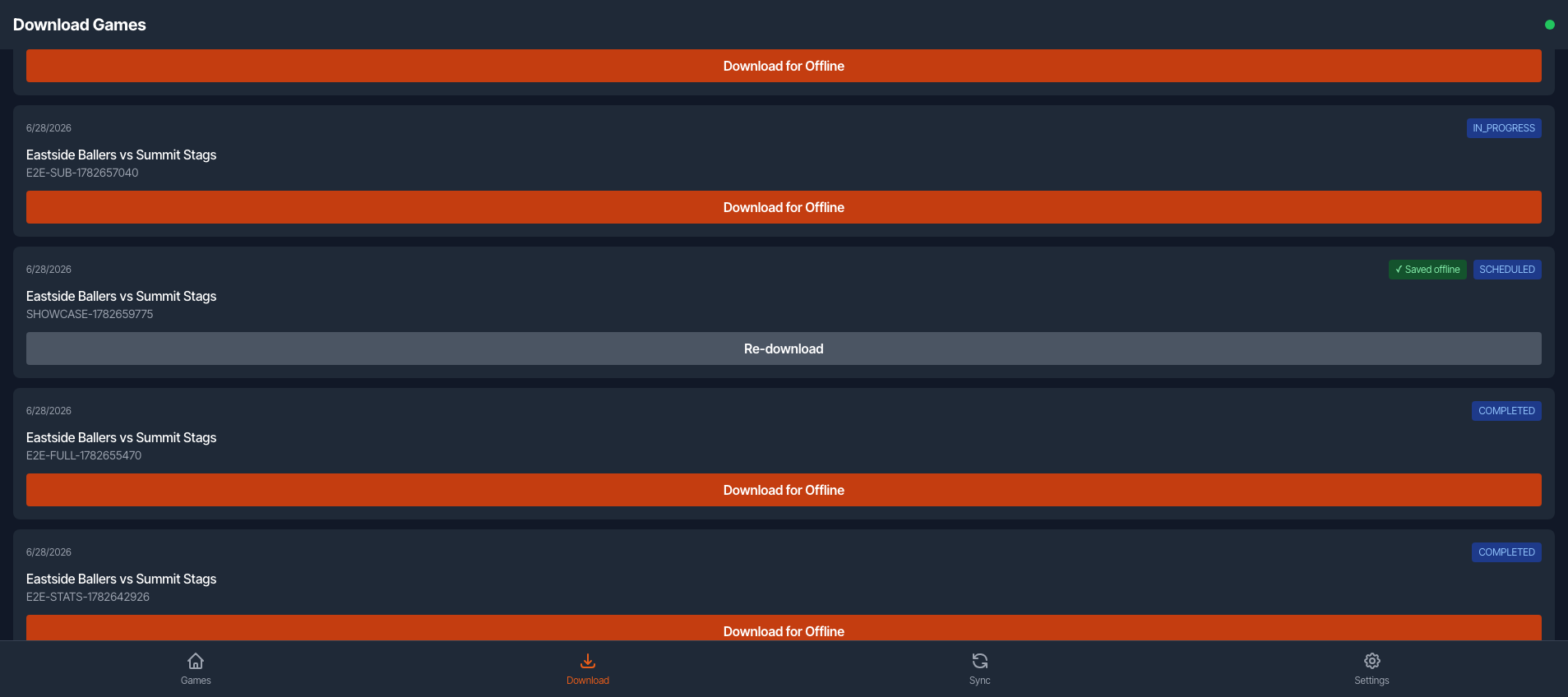
Stats and photos queue locally and flush automatically when you’re back online — keep scoring even with no signal. The web Games page and the live scoreboard update as events sync.
Related: Live Scoreboard · Teams & Players · League Admin